


I withdrew $20 from the MineMo app, but here’s the question: Is this app really worth your time, or does earning enough to withdraw take more effort than you might expect? In this article, I’ll explain how MineMo works, share my withdrawal experience, and cover what you should know before deciding whether to try it.
What is MineMo?
MineMo is a social voice chat app where users can join live audio rooms, talk with friends, play casual games, and earn reward points by hosting rooms or staying active on the microphone.
How To Join the MineMo App?
1. First, download and install MineMo from the Google Play Store and register your account. (You Download Here)
2. To unlock the earning features, complete three key setup steps: face verification, set a security password, and join an agency.
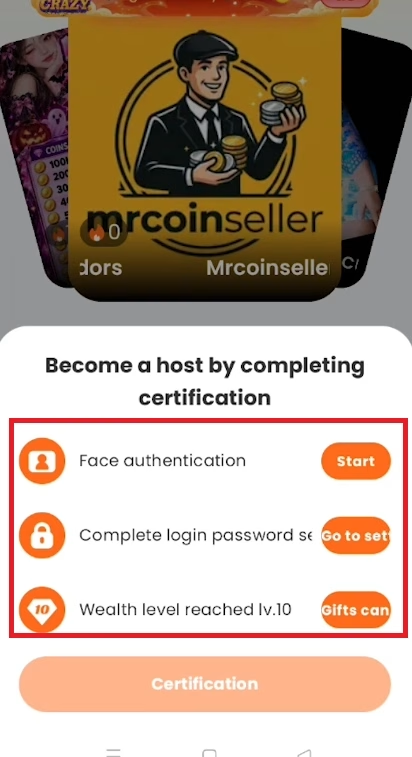
3. For face verification, tap the camera icon, click Start, and follow the on-screen prompts.
4. Once that’s complete, create a secure password.
How To Join An Agency MineMo
After setting up your account, join an agency to complete setup. To do that:
- Click the message icon
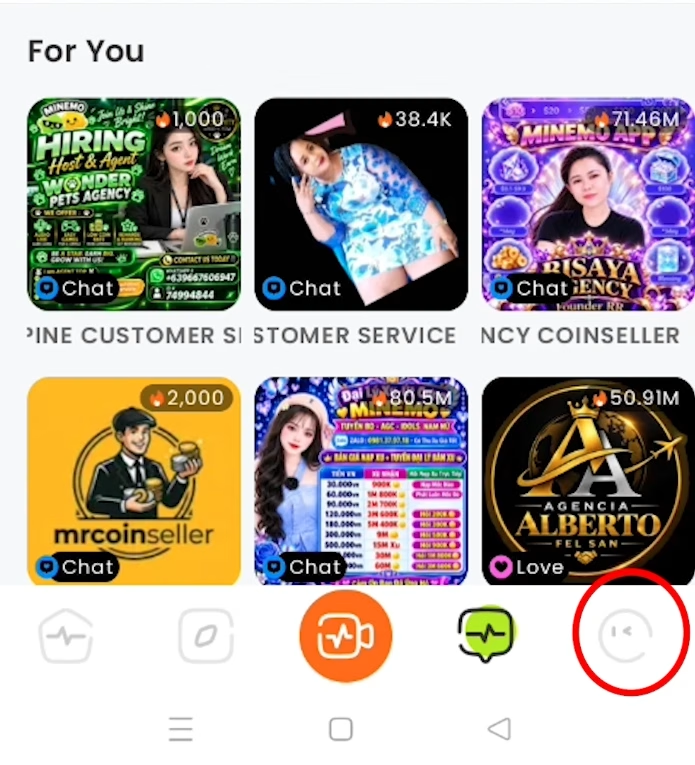
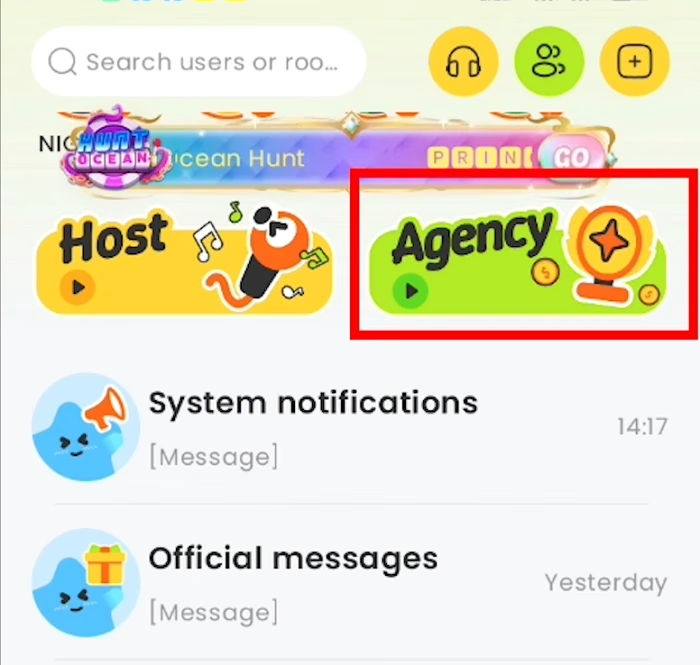
2. Tap the Agency button, and select Join Agency.
3. Enter an agency ID number and tap Search. When the profile pops up, click Apply and wait for approval.
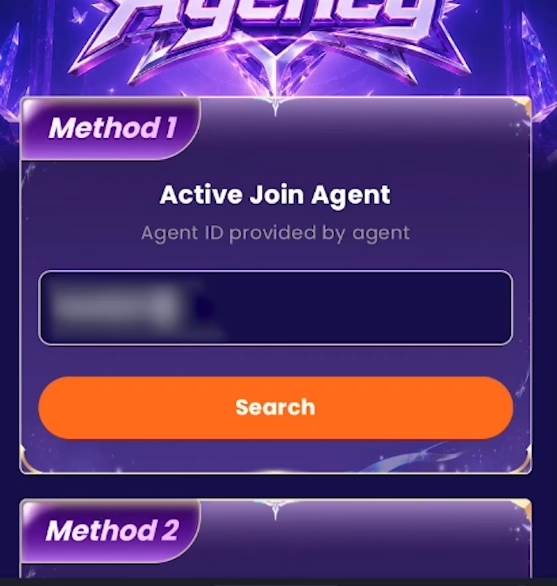
4. If you don’t have an agency ID, use agency ID “68426250” to apply, then wait for approval.
How To Navigate Minemo Options
- You have the Homepage
- The main tab where you post updates.
- The middle section is where you host party rooms, and this tab is for messaging.
- Finally, this is your profile, which houses all your core earning tasks.
- When you tap on Profile. You’ll see your Tasks, Invites, Earned Coins, and Points.
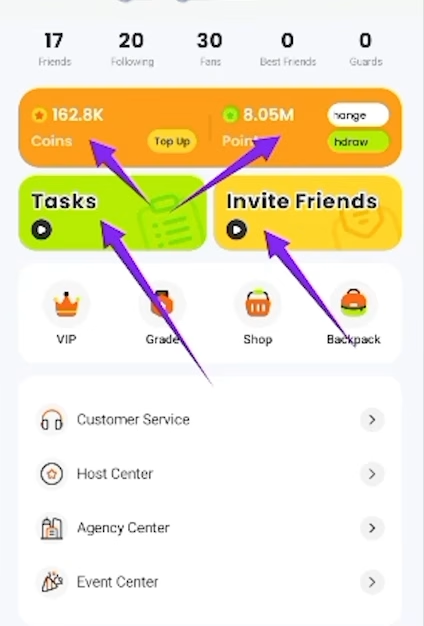
2. Click the Tasks button—this is where the main daily work happens.
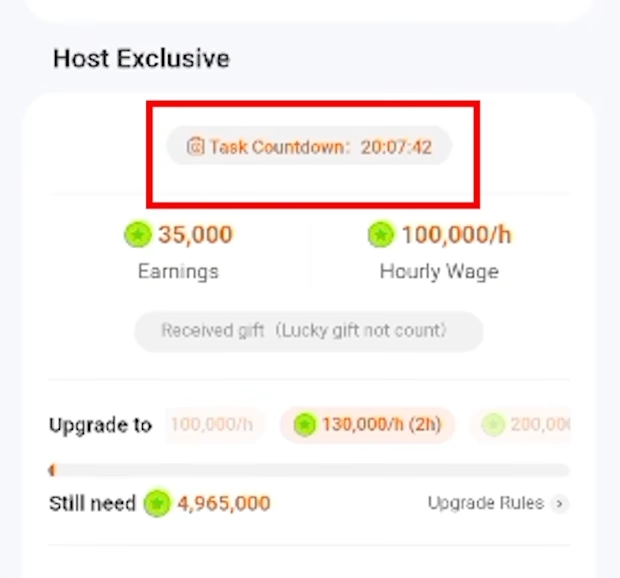
Important note: MineMo’s daily tasks reset at 4 PM local time. And if you don’t claim your completed tasks before 4 PM, those daily rewards will expire! If you skip it, you might miss out on that day’s reward.
3. If you’re a new user, you’ll get higher point rewards for your first 7 days to help you get started. But to earn these points, you need to stay active on a Crown Mic for 1 hour. “Previously, it was 2 hours”
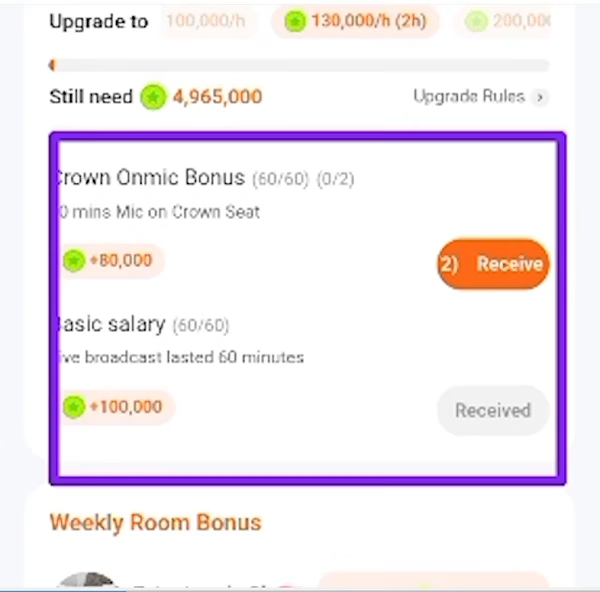
How to get on a Crown Mic
Previously, sitting on a mic was free, but currently, you will need to buy VIP to get that crown seat for your task. But don’t worry, if you join my own agency, you will get that seat for free. To get on the crown mic:
- Tap the Party or Hosting button to open the panel.
- Tap Continue.
- If you see this standard interface, you aren’t on a crown seat yet.
- Click your profile image inside the room, then click Leave Mic.
- Tap one of the crown seats here, then select Take Mic.
- Once you’re on the crown, stay active for at least two hours.
- While waiting on a crown, you can monitor the time here, and every 5 minutes you can claim extra coins to gift friends and play mini-games to boost your points.
Pro Tip: You don’t have to keep the room open on your screen for two hours. You can tap the close button here, select Minimise, and the room will continue running in the background while you use other features in the app, just like this.
MineMo’s Invite Your Friends Explained
- In addition to inviting friends to join MineMo, you can check the coins you’ve collected from friends, games, and referrals.
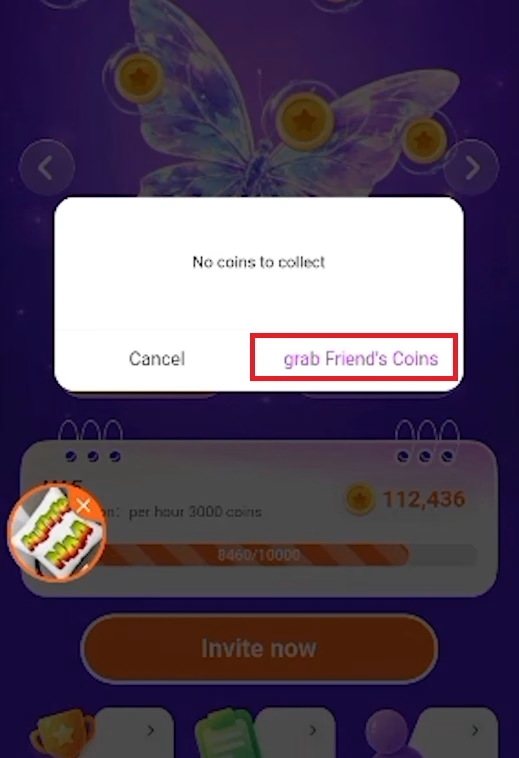
- Sometimes, when you click on it, it might show zero coins ready to collect, but you’ll see a MineMo feature called Grab Friends’ Coins.
- According to MineMo, eligible users can collect certain available bonus coins through the Grab Friends’ Coins feature. This may depend on your agency’s activity and the app’s rules.
MineMo’s Task Options
- On the main Tasks tab, scroll to the Extra Rewards section to see the long-term milestone bonuses.
- For example, if you stay active on a crown seat for 2 hours daily for 15 days, the platform rewards you with 1 million points.
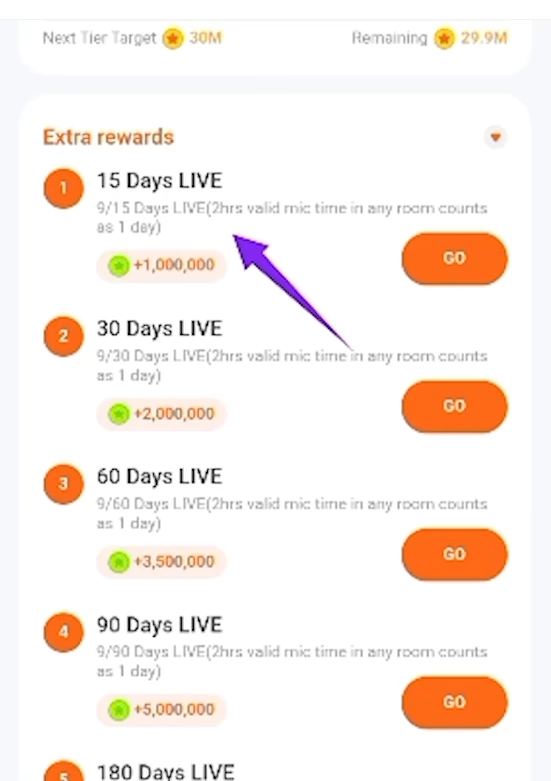
- If you keep it going for 30 days with other gameplay options, those points double, and it scales up from there.
How To Withdraw On MineMo To Your Mobile Money In Ghana
In Ghana, MineMo currently supports both MTN Mobile Money and Telecel Cash, so to cash out:
- Tap your profile, then tap Points.
- You will see your accumulated balance.
- Tap Withdraw to open the payout screen.
- From there, you will see that 10 million coins equal $10, and 20 million coins equal $20.
- Select the eligible amount ready to withdraw.
- Choose a payout method like MTN Mobile Money, tap OK, and confirm.
- Keep in mind there is a small processing fee; after the deduction, my net payout came to $19.40, which converted to roughly GH₵213.
- Clicked Confirm, entered my MineMo password, and submitted the withdrawal request.
According to MineMo, withdrawals can take up to 24 hours to process, but in my experience, the funds landed in my MTN MoMo wallet in about an hour and a half.
Can you actually make money from MineMo?
Based on my personal experience, yes, MineMo actually paid me. But here’s something you should understand: it took me about a week and a half of consistent activity to earn and withdraw that $20.
So, while I successfully received my payment, that doesn’t mean everyone will earn the same amount or get paid within the same timeframe. But if you already enjoy social voice chat apps, the rewards might be a nice bonus.
However, personally, I wouldn’t recommend treating MineMo as a reliable source of income.
But here is my advice?
Never treat apps like this as a reliable source of primary income. Treat them as entertainment with occasional rewards.
And if you’re thinking about trying MineMo, stay realistic, protect your time, and never rely on a single side-hustle app as your main online income.
Also, if you have any questions or want me to test another feature on this app, drop it in the comments below.